


Essential Work-From-Home Amenities for Your Airbnb
Published: April 18, 2025
Last updated: October 30, 2026

Jamie Lane
Key Takeaways
- Strategic investments in work-from-home amenities can increase booking rates, extend average stays, and command premium pricing with minimal upfront costs.
- While 50.8% of STR listings advertise a dedicated workspace, hosts who create truly exceptional work environments with ergonomic furniture and tech upgrades earn a competitive advantage.
- Remote workers represent a growing market segment that delivers consistent year-round demand, reducing seasonal vacancies and providing more stable cash flow.
The days of guests seeking short-term rentals for family vacations are as antiquated as dial-up internet. Today, we're seeing guests book our properties to work remotely while exploring new cities, to enjoy workcations in their own hometowns, or to live the digital nomad lifestyle they've always dreamed about.
We've all witnessed the seismic shift in how people work. Many of us with a job aren't temporary travelers anymore—we’re temporary residents who need their productivity to remain uncompromised.
Smart hosts and investors are adapting to the remote work revolution by transforming their properties with work-from-home amenities that cater to this lucrative market, creating the best Airbnbs for remote work without massive renovations or budget-breaking investments.
In this guide, we outline the specific amenities that convert ordinary rentals into sought-after work-friendly apartments and examine the numbers behind implementation costs and expected returns.
Why Your Short-Term Rental Needs Work-From-Home Amenities
The explosion of remote work is revolutionizing what they expect from their temporary accommodations. While traditional vacation rentals focused on proximity to attractions and comfortable beds, today's highest-performing properties cater to a new breed of guest: The working traveler seeking the perfect Airbnb for remote worker needs.
The ways people travel have fundamentally shifted. Today, a staggering number of professionals now blend work and leisure, extending what would have been two-day business trips into week-long stays, and week-long vacations into month-long residences.
For STR investors and hosts, this represents a golden opportunity to differentiate with work-from-anywhere accommodations. While the average Airbnb might struggle with midweek vacancies, accommodations for digital nomads maintain consistent occupancy throughout the week as guests log into virtual meetings from your dining table (or, ideally, your dedicated office space—more on that below).
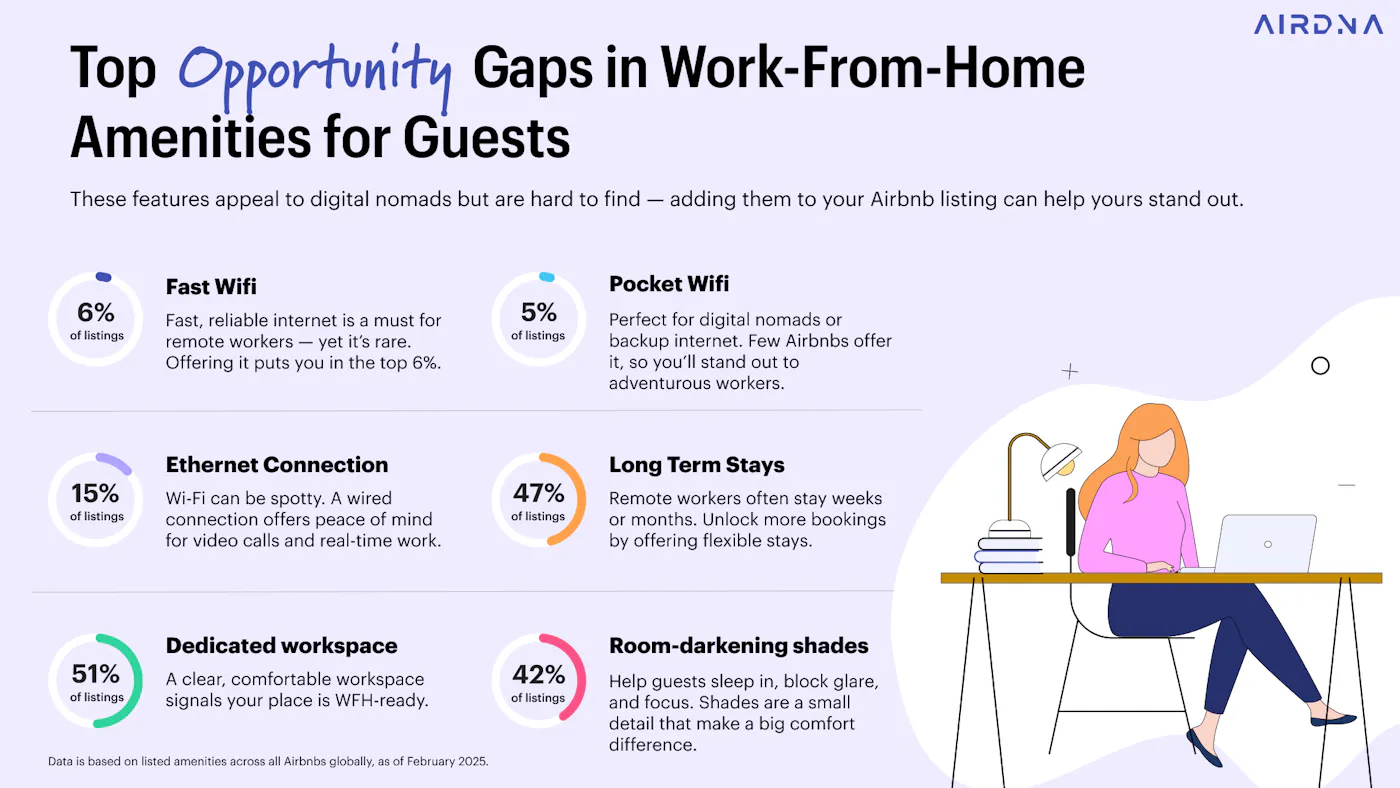
AirDNA data shows that 50.8% of global Airbnb listings now advertise a dedicated workspace—a clear indicator that hosts are catching on to the shifting dynamics. But simply checking a box isn't enough. The hosts seeing the most significant returns are those who've thoughtfully curated environments where remote work essentials don't just exist, but excel.
Top 10 Work-From-Home Amenities for Rentals
Transforming your Airbnb into a magnet for remote workers doesn't require a complete overhaul. Strategic investments in key work-from-home amenities can dramatically increase your property's appeal and booking potential.
Let's dive into the top 10 amenities that deliver the highest ROI for hosts looking to capitalize on this growing market segment.
1. Dedicated workspace
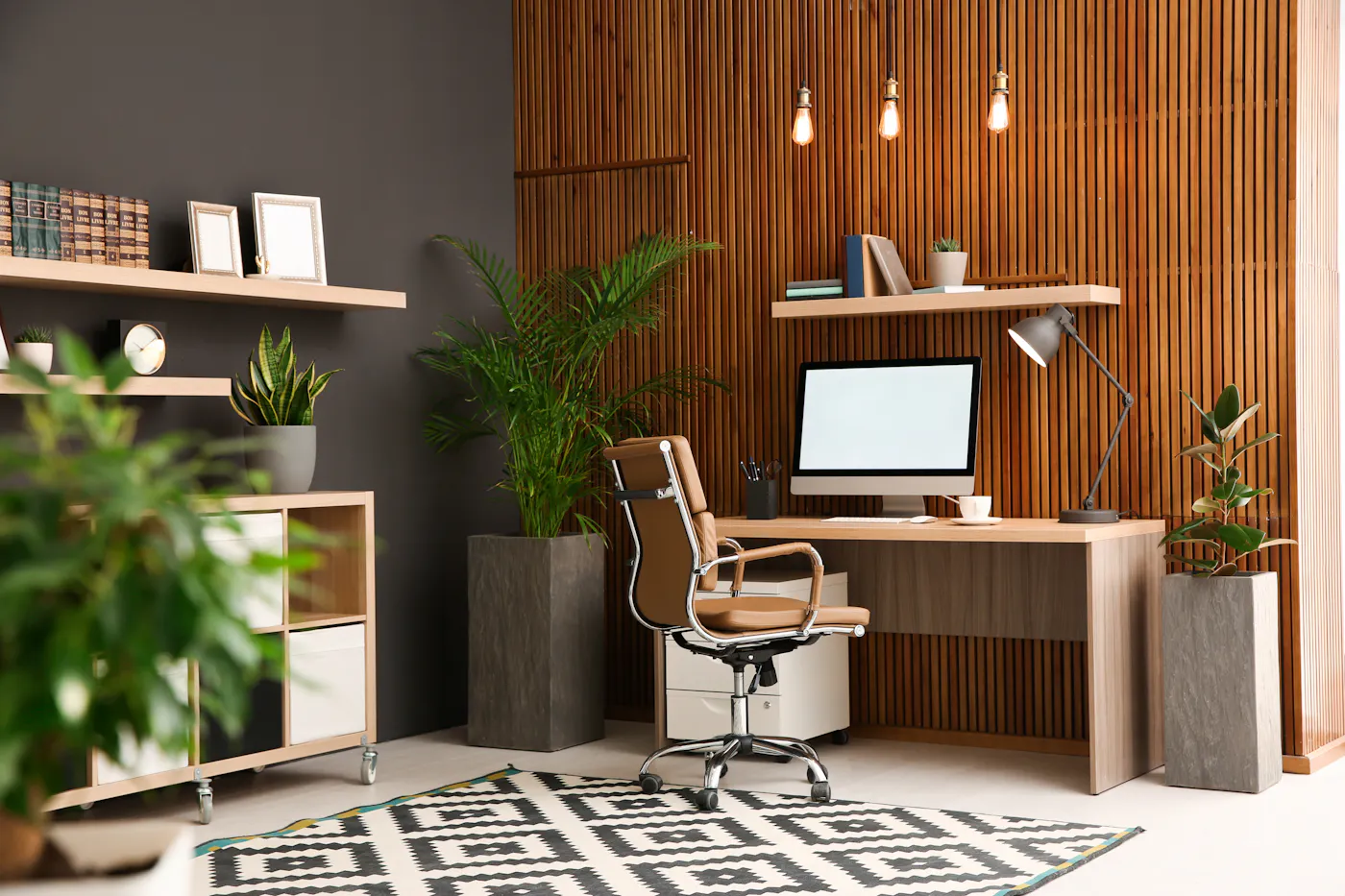
The undisputed king of work-friendly apartments is a proper, designated workspace. While just over half of Airbnb listings globally now advertise a dedicated workspace, there's a Grand Canyon-sized gap between hosts who simply check a box and those who create spaces that facilitate productive work.
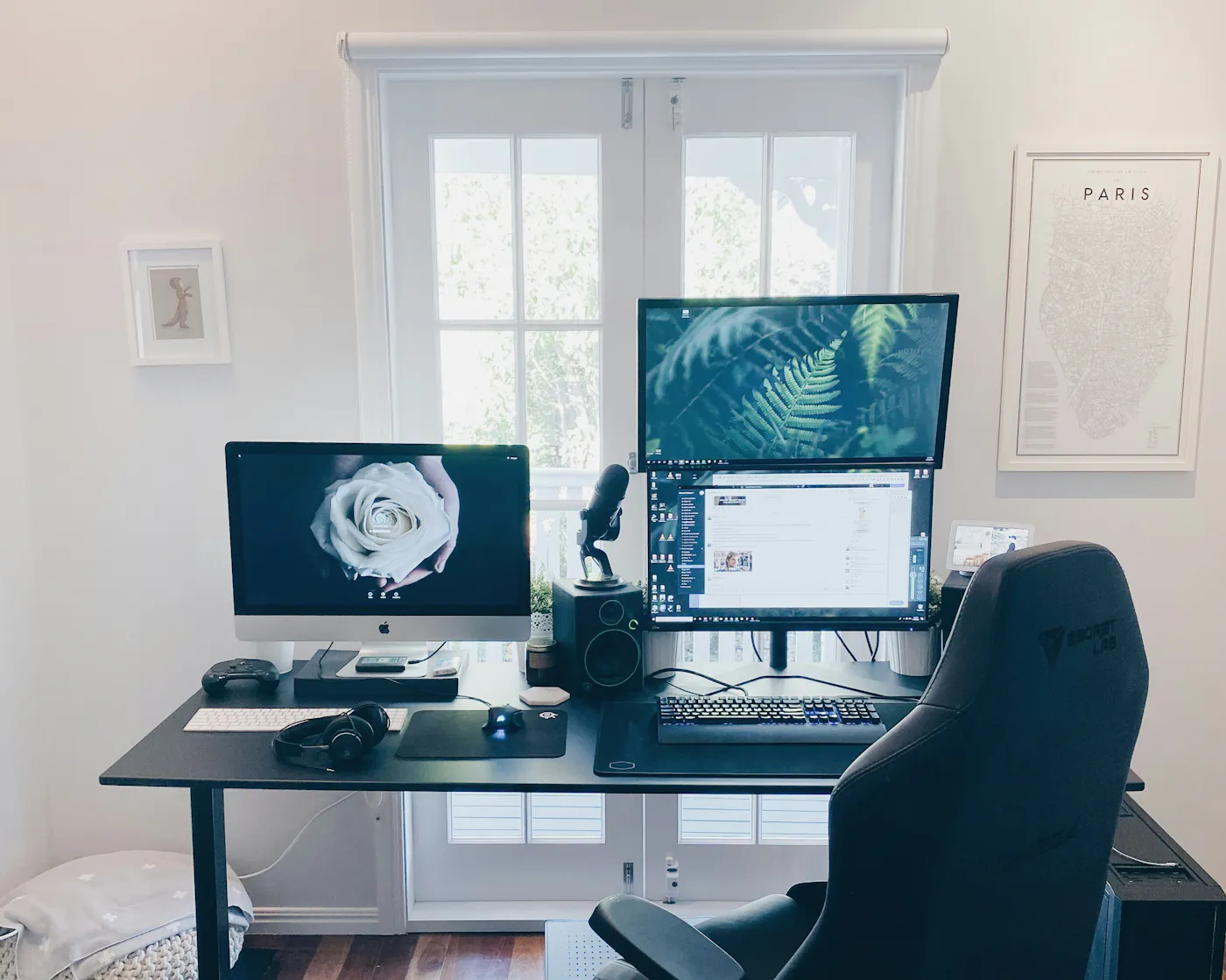
The key is to go beyond just tucking a stiff chair under a random table in the bedroom. You need to craft an ergonomic home office setup that guests can use comfortably for hours each day. Would you want to sit on a hard, backless stool, hunched over your laptop? Neither do your guests. In fact, Reddit discussions reveal that digital nomads value a comfortable desk chair above virtually all else.
Create a productivity-focused rental by providing apartment workspace features like:
- A high-quality desk that’s at least 48” long. Bonus points for an electric desk that transitions from sitting to standing. Expected cost: $100 - $400
- A chair with proper lumbar support, adjustable height, and armrests. Expected cost: $200 - $400
- An ultrawide or dual monitor setup. Expected cost: $100 - $300
- A wireless keyboard and mouse combo. Expected cost: $20 - $50
- A charging station with inputs for various kinds of devices. Expected cost: $30 - $60
- A whiteboard hung on the wall. Expected cost: $20 - $40
- A desk lamp. Expected cost: $20 - $40
- Various office supplies (pens, notepads, stapler, paperclips) Expected cost: $20 - $30
Total investment: $510 - $1,320
The investment in a quality workspace typically is pretty small considering the returns manifest in higher nightly rates and glowing reviews from digital nomads.
Other pro tips for setting up your workspace:
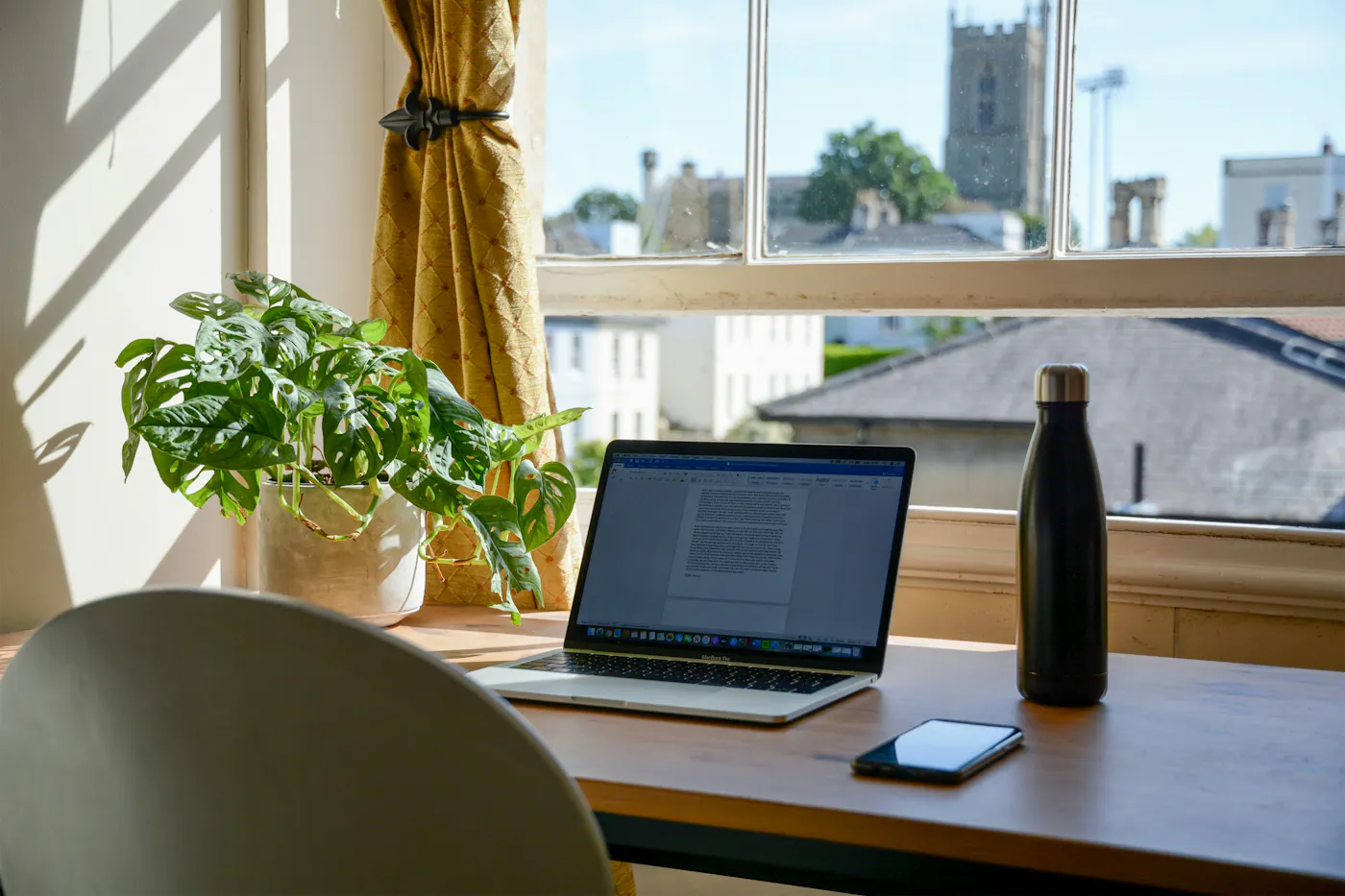
- Position the desk near a window for good natural light
- Design the room so that the background for guests’ video calls is aesthetically pleasing — consider installing patterned wallpaper, hanging art, or adding plants.
- Set up your workspace in a room that’s far from high-traffic areas like the living room to avoid noise and distractions
- The room almost definitely needs more outlets. Provide power strips, extension cords, and cable management solutions
2. High-speed internet
If a dedicated workspace is the foundation of your work-friendly apartment, then high-speed internet is the glue that holds it all together. Here's something worth considering: While 94.3% of Airbnb listings globally advertise WiFi, only 5.9% specifically promote fast WiFi. That's a massive opportunity gap for you to leverage.
Basic internet that struggles to stream a Netflix show isn't going to cut it for professionals who need to jump on video calls, access cloud-based files, and toggle between dozens of tabs in their web browser.
What makes internet truly work-ready? We recommend:
- A minimum of 100 Mbps download speeds (opt for 300 or 500 Mbps if you’ll be hosting more than 2-3 guests)
- Mesh WiFi systems that eliminate dead zones throughout the property
- A wired ethernet option for guests who demand absolute connection stability
- A backup internet solution (like a 5G hotspot) for those inevitable service disruptions
- Clear instructions on network name, password, and troubleshooting steps
- Including speed test results in your listing photos
Total investment: $500 - $100/month ($600 - $1,200)
Considering you’d be paying at least $30 - $50/month for standard internet no matter what (because no one’s going to rent a property without WiFi unless it’s a cabin in the woods!), the investment in premium internet isn’t much higher to create the perfect furnished apartment for remote work.
3. Flexible leases
The beauty of catering to remote workers lies in their tendency to stay longer than traditional vacationers. Our data shows that 47.3% of Airbnb listings globally allow “long-term stays”—but merely toggling this setting on is where amateur hosts stop.
Take it a step further by creating a tiered pricing structure that incentivizes extended bookings. This might mean offering a 15% discount for weekly stays and 30% off for monthly reservations, effectively turning what might have been a quick weekend getaway into a multi-week (or even multi-month) revenue generator. Flexible lease options for professionals cost you nothing but can dramatically boost your bottom line.
Total investment: $0
Consider these strategies to make your property genuinely adaptable for short-term work-from-home rentals:
- Offer mid-stay cleaning services (only 3.3% of global listings advertise this amenity—talk about standing out!)
- Provide weekly linen changes for extended stays
- Install in-unit laundry facilities
- Create clear policies regarding package deliveries, mail forwarding, and additional guest visits
- Develop relationships with local coworking spaces for guests who occasionally need a change of scenery
4. Soundproofing
Unwanted noise is a remote worker’s kryptonite. Nothing derails a productive working session faster than the upstairs neighbor rearranging their furniture or your guest’s partner blasting the TV in the other room. That's why thoughtful soundproofing has become a major competitive advantage for hosts targeting the digital nomad market.
Surprisingly, only 1.4% of Airbnb listings globally mention noise monitors on the property. This presents an extraordinary opportunity to differentiate your rental from the competition with relatively simple upgrades.
Effective soundproofing doesn't require reconstructing your entire property. Strategic enhancements can dramatically improve the acoustic environment:
- Acoustic panels disguised as attractive wall art (functional and stylish)
- Heavy, sound-dampening curtains that block both noise and light
- Door sweeps and weatherstripping to prevent sound leakage
- White noise machines or smart speakers with ambient sound capabilities
- Plush area rugs with quality padding underneath
- Strategic furniture placement to buffer against shared walls
Total investment: $230 - $1,050
For hosts willing to invest a bit more to create exceptionally comfortable temporary housing, consider installing solid-core interior doors, resilient channel systems for ceilings, or acoustic insulation in key walls. These upgrades not only create a superior working environment but also enhance sleep quality—a critical factor for productive remote work.
5. Coffee maker
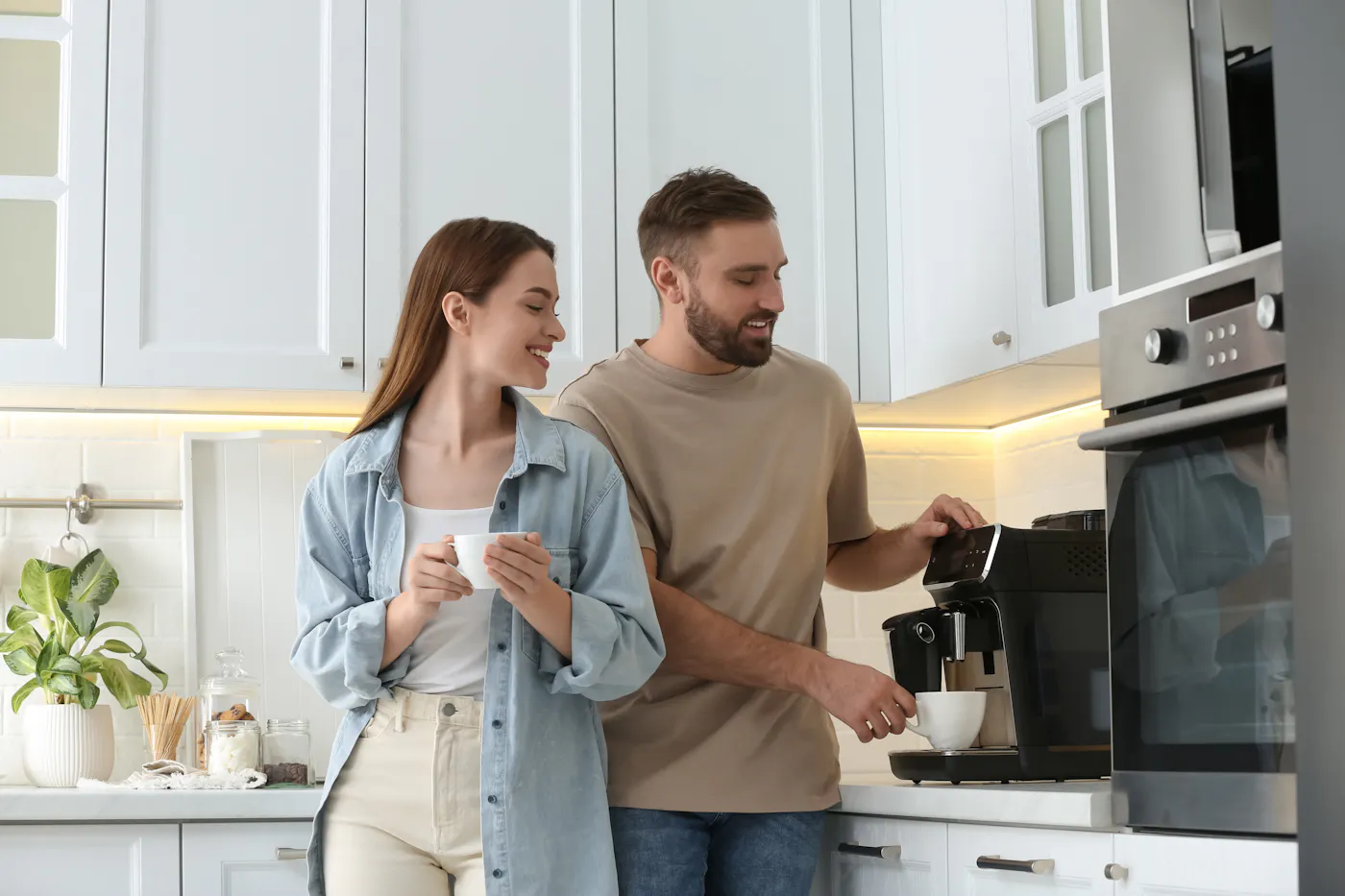
75.1% of all Airbnb listings globally include a coffee maker. But you can find an edge by recognizing that not all coffee solutions are created equal.
Make sure your property offers at least one of the following (though it never hurts to offer more than one kind of coffee maker!)
- Basic drip coffee maker (featured in 13.7% of listings) are a classic that most everyone knows how to use
- Espresso machines (4.2% of listings) create an immediate luxury impression
- Nespresso systems (5.8% of listings) offer convenience and consistent quality
- French presses (1.8%) appeal to coffee connoisseurs who appreciate ritual and flavor
- Keurig machines (4.4%) provide variety and zero-effort brewing
Total investment: $50 - $500
Don't forget the supporting cast: Quality beans or pods, a coffee grinder and filters, multiple mug options (including travel mugs for coffee on-the-go), and proper cleaning supplies.
6. Gym
For digital nomads and remote workers, establishing a consistent routine is the secret to maintaining productivity in changing environments. Regular exercise is an important part of anyone’s routine, so having access to a gym is a huge perk for remote workers and corporate travelers.
Given that only 3.8% of Airbnb listings globally mention a shared gym and a mere 0.1% offer a private workout space, this work-from-home amenity represents a relatively untapped market advantage.
There are several approaches to incorporating fitness amenities into your rental:
- Highlight access to shared building facilities in your listing (if applicable)
- Create a compact but functional private workout area with space-efficient equipment like dumbbells, resistance bands, foldable yoga mats, and kettlebells
- Partner with nearby fitness centers to offer complimentary or discounted guest passes
- Map out scenic running/walking routes in your guidebook
- Provide quick-access information about local fitness classes and outdoor activities
Total investment: $0 - $1,000
7. Quiet common areas
Even with a dedicated workspace, remote professionals often need a change of scenery to maintain productivity and mental freshness. It won’t be possible in every property, but a thoughtfully designed common area that serves as alternative workspace or a place to relax can be wildly appealing to remote workers.
Craft your common area with:
- A variety of comfortable seating—think sofas, lounge chairs, bean bags, and some desks with ergonomic chairs
- An array of light sources, from overhead lighting to standing lamps to task lamps. As much as possible, allow natural lighting
- Multiple power outlets strategically placed near seating areas
- Acoustic management
- Strong WiFi coverage that matches the speeds available in the unit
- Thoughtful décor that isn’t too distracting
Total investment: $500 - $2,000
These spaces don't need to be large to be effective. Even in smaller properties, a well-designed reading nook or kitchen counter with bar stools can provide the environmental variety remote workers crave. What matters most is the intentionality behind the design.
8. Outdoor spaces
Gleaming outdoor areas don’t just make for attractive listing photos—they're profit generators for hosts targeting the remote work market. Properties that have a balcony, patio, or rooftop terrace have a huge leg up over those without outdoor space.
Converting outdoor spaces into remote-work assets requires strategic thinking—try the following:
- Install weather-resistant furniture with adjustable shade for all-day usability
- Extend reliable WiFi coverage to outdoor zones (a surprisingly rare feature guests will pay premium rates for)
- Create offices with stunning views by positioning workspaces to showcase your property's best vantage points
- Add power outlets (weather-protected) to eliminate the "battery anxiety" that drives guests back indoors
- Install sound buffers like cascading fountains or strategic plantings to minimize street noise
Total investment: $100 - $1,000
If your property doesn’t have outdoor access, establish a partnership with nearby coworking spaces or prepare a curated guide to local outdoor work spots. This zero-cost addition demonstrates your understanding of remote worker needs while differentiating your listing from less thoughtful competitors.
9. Room darkening shades
Blackout curtains aren’t exclusively beneficial to remote workers, but they’re an often-overlooked amenity—currently featured in 42.5% of global Airbnb listings—that can definitely help with digital nomads’ productivity.
Remote workers—especially those bouncing between time zones or pulling late nights to meet deadlines—are desperate for control over their sleep environment. When you provide true blackout capabilities (not those flimsy decorative curtains that leak light like a sieve), you're directly improving their work performance.
Help your guests sleep better and stay focused with:
- True blackout curtains that create complete darkness
- Smart shades that can be programmed or controlled remotely
- Layered window treatments that allow for partial light filtering when desired
- Side seals that prevent light leakage around curtain edges
- Eye masks as a thoughtful bedside addition for total darkness
Total investment: $50 - $500 (depending on how many windows you’re covering)
10. On-site tech support
We admit this one is the most difficult to implement in a short-term rental, but it’s worth including in case your property can accommodate it.
Nothing torpedoes a workday faster than tech meltdowns, whether that’s spotty WiFi, TVs that refuse to mirror a laptop screen, or a malfunctioning printer.
While you can't personally be an IT superhero for every guest (nor should you try), creating a tech support safety net dramatically increases the perceived value of your work-friendly apartment.
If a full-blown tech support team isn’t an option, try these alternatives:
- Craft a troubleshooting guide that doesn't require a computer science degree to understand
- Compile emergency contacts for local tech wizards who can swoop in to save the day
- Include a small kit of tech essentials: extra HDMI cables, universal adapters, and portable chargers
Total investment: $0 - $100
For multi-unit properties, leverage existing maintenance staff by training them on basic tech troubleshooting. Then prominently feature this "tech concierge" service in your listing.
Tips to Optimize Your Short-Term Rental for Remote Workers
Creating a remote work haven requires more than just adding work-from-home amenities to a rental—you have to go the extra mile to create a cohesive experience that positions your rental at the premium end of the market.
Showcase work-friendly features in your listing
Most hosts make the critical mistake of burying their remote work amenities deep in their listing description. To capture this lucrative audience, place your work-from-home amenities front and center:
- Feature your workspace prominently in your first 3-5 listing photos
- Include "workspace" in your listing title if remote workers are your target demographic
- Create a dedicated section in your description highlighting your property's productivity features
- Use photo captions to specifically call out work-from-home amenities
- Add "dedicated workspace" to your searchable amenities list
Adding a dedicated workspace to your listed amenities is especially crucial because it’s the only amenity option that’s specific to remote work in the search filter options available to guests. When you’re setting up your listing as a host, you have approximately 100 amenities to choose from. As a guest, however, the search filters for amenities are limited to 10 Essential amenities and 11 Feature amenities.
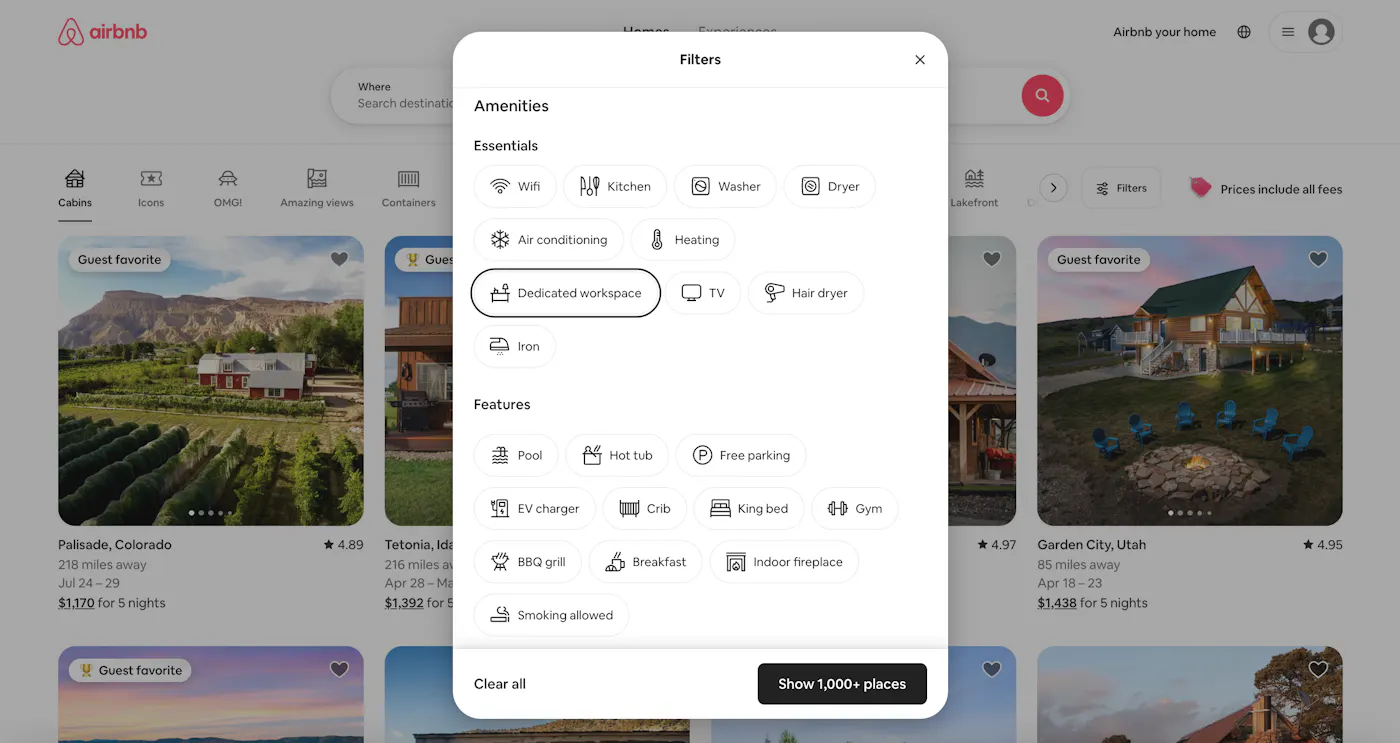
Remember, 50.8% of listings mention a dedicated workspace, but far fewer properly showcase this feature. Simply reorganizing your existing content can dramatically increase visibility with zero additional investment.
Optimize your listing’s SEO
Airbnb's search algorithm rewards listings that specifically cater to in-demand amenities. Boost your visibility by strategically incorporating terminology around business travel rentals:
- Include phrases like "perfect for remote workers" and "ergonomic home office setup" in your description
- Highlight your property's suitability for digital nomads in your title and opening paragraph
- Request reviews that specifically mention your work-friendly features
Highlight the quality of your workspace furnishings and hardware
If you took our advice and invested in high-quality pieces like an ergonomic office chair, a standing desk, and an ultrawide monitor, make sure you show them off! Not all hosts go the extra mile—many boast a workspace in their listings that leaves a lot to be desired, with poor-quality furniture and no extra office supplies.
Discuss the quality of your investments in your listing description and in photo captions. Don’t be shy—these are the kinds of details that digital nomads care about.
High-Return Advantages for Remote-Work-Friendly Hosts
Let's talk bottom line—because that's what this is really about. Transforming your property into a work-from-home amenities rental means you’ve strategically positioned yourself in front of a large and growing market.
By catering to remote workers and traveling professionals, hosts can see:
Extended stay durations
Say goodbye to the revolving door of weekend warriors. While vacation guests pop in for a quick 2-3 nights, remote professionals park themselves for weeks—sometimes months—at a time. Think about what that means for your operations: Fewer turnovers, dramatically reduced cleaning costs, and minimal vacancy gaps eating into your profits.
Premium pricing power
Remote workers hunting for work-friendly apartments aren't bargain-basement shoppers—they're professionals seeking high-functionality spaces where they can crush their workday in comfort. That mindset translates directly to your bottom line.
Year-round demand
Traditional vacation rentals live and die by seasonal waves, creating feast-or-famine cash flow that keeps hosts up at night. Accommodations for digital nomads follow a different pattern entirely—consistent, predictable demand that doesn't disappear when school starts or the weather turns.
Where Our Amenity Data Comes From
We scraped the roughly 3.8 million Airbnb listings globally and created a data set of all of their listed amenities, with information on how many listings have each amenity option. We then categorized each amenity offering based on what guest demographic it serves:
- Business travelers
- Remote workers/digital nomads
- Luxury/high-end travelers
- Long-term renters
- Budget travelers
- Groups
- Couples/romantic getaways
- Families with young children
- General (applicable to all guest types)
The amenity was tagged with more than one guest type if it serves multiple demographics. We then filtered the list to only look at amenities serving remote workers/digital nomads to get to the list of amenities shared here.
It’s worth noting that Airbnb once allowed Airbnb hosts to write in their own amenities if they offered something that fell outside of the prepopulated options. Now, hosts are limited to the options provided but they can add additional features to their listing description. Write-in amenities are grandfathered into older listings that utilized this feature, so there are thousands of amenity variants in the data set. We grouped similar write-in amenities to come to a manageable number for analysis.
FAQs
How can I effectively market my short-term rental as work-friendly?
Don't bury your work-from-home amenities in your listing's footnotes! Lead with them in your title and feature them prominently in your description. Capture professional-quality photos of your workspace during golden hour lighting, showing it both empty and in use. Create a dedicated "For Remote Workers" section in your description highlighting specific productivity features. Most importantly, showcase actual reviews from remote workers who've stayed with you—these testimonials are pure marketing gold for attracting similar guests.
What are the must-have office amenities for remote workers?
The non-negotiables for productivity-focused rentals include:
- A dedicated workspace with an ergonomic chair (not a repurposed dining chair)
- Reliable high-speed internet (minimum 100Mbps download/20Mbps upload)
- Proper task lighting to prevent eye strain
- Multiple easily accessible power outlets.
The nice-to-haves that can help you command premium rates are:
- An external monitor
- Adjustable desk height options
- Noise-cancellation solutions
How can I stand out from other work-from-home amenities rentals?
While everyone's adding basic desks and WiFi, differentiate by creating a comprehensive ecosystem of remote work essentials. Offer dual-monitor setups when competitors provide just one. Include bookable private Zoom rooms for important calls in multifamily properties. Partner with local coworking spaces to offer guest discounts. Create a "digital nomad welcome package" with curated local recommendations specifically for remote workers. Remember, standing out isn't about spending more—it's about demonstrating a genuine understanding of remote work needs through thoughtful, targeted amenities.
ARTICLE SUMMARY
Discover the top 10 work-from-home amenities that generate STR demand from remote workers. Strategic investments in dedicated workspaces, reliable connectivity, and thoughtful productivity features attract remote professionals year-round.
Jamie Lane
AirDNA Chief Economist
He is responsible for data analysis, thought leadership, and leveraging advanced analytical techniques to provide new insights into short-term rental market trends. Native to Atlanta and an Airbnb host himself, Jamie enjoys cycling, mountain biking, backpacking, running, and playing in a dart league in his free time.


Get started with AirDNA today.
Powerful, easy-to-use tools that help hosts and investors succeed in the short-term rental market.
Try for free