


Toronto World Cup 2026 Guide to Airbnb Hosting
Published: February 16, 2026
Last updated: November 3, 2026

Bram Gallagher

Key Takeaways
- Toronto’s World Cup matches, especially Canada’s June 12 opener and marquee international games, are already driving significant search demand on Airbnb from both Canadian and international travelers.
- Because Toronto only allows short-term rentals in your primary residence, hosts will need to choose between renting a private room while staying home or renting their entire place while they’re away. Both options can still make great money during match weeks.
- Early Airbnb data shows many Toronto listings are still priced under $500 CAD per night, a sign that mid-range homes are being booked quickly now and positioned to command higher rates as availability tightens closer to kickoff.
If there’s ever been a time to try Airbnb hosting in Toronto, this is it.
The FIFA World Cup 2026 is coming to Toronto, and so are 140,000 fans from around the world.
That kind of demand means Torontonians could make serious money by renting out their homes on Airbnb. While you can only rent out your own home on Airbnb in Toronto, if you’re a homeowner or a long-term renter, you have a rare chance to earn some serious income by piggybacking off all the excitement.
To help you make the most of it, we’ve put together a full Toronto World Cup hosting guide. We cover everything from how to get your place ready and set pricing to welcoming guests from around the world.
FIFA World Cup 2026 Snapshot Toronto
Stadium: BMO Field
Location: Exhibition Place, Toronto
Capacity: ~45,000 (expanded for the tournament)
The FIFA World Cup match dates in Toronto include five group stage matches:
- June 12: Canada vs. UEFA Playoff A Winner (Group B)
- June 17: Ghana vs. Panama (Group L)
- June 20: Germany vs. Côte d’Ivoire (Group I)
- June 23: Croatia vs. Panama (Group L)
- June 26: Senegal vs. Intercontinental Playoff 2 Winner (Group I)
Toronto is not hosting knockout-round matches, but demand is still expected to stay elevated as fans travel between Canadian host cities.
Airbnb estimates that 61,000 guests will stay in short-term rentals across Toronto and Vancouver during the tournament, and early searches show Toronto is already a major focal point.
Canada’s June 12 opener in Toronto is driving the biggest surge in interest from Canadian fans, while international travelers are zeroing in on marquee matchups like Germany vs. Côte d’Ivoire. The strongest search activity is coming from the United States, the United Kingdom, Germany, and France, giving Toronto Airbnb hosts a wide, global audience of soccer fans willing to pay top dollar on their trips.
Guests appear to be locking in larger, two-plus-bedroom listings early, especially those still priced under $500 CAD per night. This is a sign that mid-range inventory is being scooped up fast by families and groups, who now make up more than half of all early World Cup bookings. As availability tightens heading into summer, these larger homes are positioned to see the fastest jump in nightly rates.
7 Steps to Get Ready for Airbnb Hosting During the Toronto World Cup 2026
Hosting during the World Cup won’t be for everyone, but if you live in Toronto (or know someone who does), it’s worth understanding how to do it. Here's a step-by-step guide to hosting on Airbnb in Toronto during the FIFA World Cup in 2026.
1. Check Toronto Short-Term Rental Regulations
Before you list your space, make sure you’re playing by the rules. Toronto takes compliance seriously year-round, and enforcement typically tightens during major events like the World Cup. A quick check now saves a headache later.
Here’s what you need to know:
- You can only host your primary residence. Toronto limits short-term rentals to the place you live most of the year: where you receive mail, pay bills, and call home. Investment properties and secondary suites that aren’t part of your own living space can’t legally be listed for stays under 28 days.
- You must register with the City of Toronto. Short-term rental hosts are required to obtain a registration number from the city. It costs $53 and must be displayed on your Airbnb listing. Toronto routinely removes unregistered listings, so this step is essential.
- Booking length must be under 28 consecutive days.
- If you’re a tenant, you’ll need permission. Renters can host their primary residence, but only with proof of landlord consent. Condo and co-op buildings may also have bylaws restricting short-term rentals, so check your building rules before listing.
Toronto’s rules are firm, but they still leave plenty of room for locals to participate, especially during a high-demand moment like the World Cup. Many hosts temporarily relocate or stay with friends and family, letting their homes work for them while nightly rates climb.
You can learn more and get all the required licenses on the City of Toronto website.
Pro tip: Not sure what’s allowed in your specific zip code or neighborhood? Check our blog on finding local short-term rental ordinances to get started.
2. Create Your Listing
Getting your home on Airbnb might sound intimidating, but the setup process is simpler than you think. You do need to bring your A-game, though, if you want to earn as much as possible while demand is sky-high. Here’s how to make your Airbnb work harder for you during the World Cup in Toronto:
Decide if you’ll share your space or rent the whole home
For Toronto hosts, the World Cup presents two legal hosting options under primary residence rules: rent a private room while you stay home, or rent your entire home while you’re away. The right choice comes down to comfort level, availability, and how much income you want to capture during peak match weeks.
Renting a private room works best if you’ll be in Toronto and prefer a lighter lift. It appeals to solo travelers and short-stay guests, especially those attending a single match. This option requires less prep, avoids moving out, and still benefits from tournament-driven demand, particularly if your home is near transit or downtown.
Renting your entire home unlocks the biggest upside, especially during knockout rounds when group travel spikes. Entire homes near BMO Field or the TTC tend to book earlier and at higher rates, but this option requires relocating temporarily, securing personal items, and planning for professional cleaning.
Some hosts plan to do both by renting a room during early matches, then switching to the full home as demand intensifies. Deciding your approach early allows you to open calendars confidently and adjust pricing as the tournament unfolds.
Take great photos
Photos are the first thing guests see and first impressions matter. Clean up your space, open the blinds, and take wide, well-lit shots of each room. If you're close to BMO Field, a subway station, or a popular neighborhood, be sure to show that off. The better your photos, the more you can confidently charge.
Write a clear, helpful title and description
Think like a guest. What would make your place appealing to someone flying in for the World Cup? Highlight things like stadium access, nearby food and pubs, game-watching setups (like a big TV), and space to relax between matches. If you’re renting your whole home, mention how many people it can comfortably sleep. We’ve got great articles on how to write a great Airbnb title and host description if you’re looking for inspiration.
Consider turning off Instant Book
Usually, we recommend Instant Book because it makes the booking process faster for guests and keeps your host response rate high, which Airbnb’s ranking algorithm prefers. Plus, Instant Book properties tend to have slightly higher occupancy and nightly rates than their counterparts.
However, the level of demand is through the roof for Toronto World Cup dates, so you don’t need to worry about losing business by adding a little bit of friction to the booking experience. It’s worth taking the time to screen guests before accepting a booking request during a high-energy event like this. Review guest profiles, ask a few questions, and feel more confident in offering an Airbnb primary residence or hosting larger groups.
Set the right price
Airbnb will prompt you to choose a nightly rate during the list process. Knowing what similar Airbnbs in your area (also known as your comp set) usually charge during June won’t help you determine appropriate pricing during the World Cup, because events drive unusual demand levels that support a higher bar for nightly rates.
Our World Cup dashboard shows you the available rate and booked rate for short-term rentals in your city for each match date, so you can understand what available inventory is charging and how much guests who have already booked have paid. We go deeper on pricing strategy in Step 6.
Add a cleaning fee that makes sense
You'll be prompted to add your cleaning fee when setting up your listing.
During events like the World Cup, guests might be coming in groups and the atmosphere will be festive. You might expect a little extra cleanup around game days if guests are preparing food, watching from your home, or gathering with friends there after the match. Here’s how to add your cleaning fee on Airbnb.

Set up basic guest messages
Airbnb makes it easy to schedule quick replies. At a minimum, we recommend:
- A confirmation message after booking
- Check-in details a day or two before arrival
- A quick check-in message mid-stay (optional)
- Clear checkout instructions
These communication touches will make the whole experience smoother for you and your guests.
3. Prepare Your Home for Guests
The idea of a stranger staying in your own home might feel uncomfortable at first. That’s completely normal.
The process of getting your place ready for World Cup guests will boost your confidence, and it doesn’t have to be complicated. You’re not turning it into a hotel. You’re just making it a comfortable place to stay for a few nights while they enjoy all the World Cup has to offer.
Whether guests are flying in from abroad or coming from another part of Canada, they’ll appreciate a home that’s clean, functional, and welcoming. Here’s how to prepare your home as a Toronto short-term rental for the World Cup:
Set clear house rules
Fans will be in celebration mode, but it’s still your home. Be upfront about limits on noise, parties, and extra guests. If your neighborhood, condo board, or city has event-related rules, include them in your house manual or pre-booking message.
Secure your belongings
Hosting doesn’t mean clearing everything out. Just lock away or remove anything valuable, breakable, or deeply personal. A closet, cabinet, or even a locked bedroom works. Many first-time hosts might leave a few things with friends or family or put their things in storage temporarily (more on that later).
Create space for guests
You don’t need to empty every drawer, but clear out some space in closets or dressers so guests can unpack. Stock up on extra towels, bed linens, and essentials. If you're hosting groups, having enough dishes and chairs makes a big difference. Collapsible chairs or floor cushions work in a pinch.
Make check-in easy
World Cup guests may arrive late or be unfamiliar with the city. A smart lock or lockbox makes check-in seamless (and saves you from coordinating key exchanges). Leave a note and any pertinent instructions for their stay somewhere visible upon entry, like on the fridge or an entryway table.
Prep for summer in Toronto
Toronto summers are warm, humid, and can feel especially muggy near the lake, so keeping your home comfortable goes a long way. If you don’t have central air, make sure window units or portable ACs are in good working order, and offer fans in the bedrooms. Condos in particular can heat up quickly on sunny days, even with moderate temperatures outside.
If you have a balcony, patio, or small outdoor space, tidy it up and add simple seating. Guests love having a spot to unwind after matches, especially on warm evenings.
Provide directions to BMO Field from you place
The heart of the action is at BMO Field, so help guests get there stress-free. Include these details in your welcome book, pre-arrival message, or a printed note near the entryway.
Stadium: BMO Field
Address: 170 Princes’ Blvd, Toronto, ON M6K 3C3
Neighborhood: Exhibition Place / Toronto waterfront
Closest transit options:
- TTC GO Transit – Exhibition GO Station: Located directly beside Exhibition Place. Guests staying in the west end or downtown can take the Lakeshore West line for a fast, reliable trip.
- TTC Streetcar – Routes 509 Harbourfront & 511 Bathurst: Both lines stop at Exhibition Loop, a short walk from BMO Field. This is often the easiest option for fans staying downtown.
- Subway connections: Line 1 (Yonge–University) and Line 2 (Bloor–Danforth) both connect to streetcars that run straight to Exhibition Place.
- Rideshare tips: Pickup and drop-off areas are typically set along Princes’ Blvd and Canada Blvd, but congestion can be heavy on match days. Tell guests to expect delays and consider using a meeting point a few blocks away. Liberty Village often works well.
- Parking: Parking at Exhibition Place is available but limited and can be expensive on event days. Encourage guests to pre-book parking through services like Green P or the Exhibition Place parking portal, or to rely on transit instead.
If your home is within walking distance or close to a convenient TTC or GO station, highlight that clearly in your listing and welcome materials.
4. Look into Short-Term Rental Insurance
When it’s your own home, even a short stay can raise big questions: What if something gets damaged? Will my regular insurance still cover me?
Airbnb’s AirCover for Hosts is included automatically and covers many common issues, like guest damage or liability, but it’s not the same as a full home insurance policy. If you rely on your current coverage, there’s a good chance renting out your space, even for a few nights, isn’t included.
That’s where short-term rental insurance add-ons come in. Some Canadian providers offer flexible options made for part-time or event-based hosting, so you don’t need a whole new policy, just a temporary layer of protection.
If this is your first time hosting or you’re planning to leave town and rent out your whole home, having a little backup can go a long way. Having insurance doesn’t mean you expect something to go wrong. It’s just about knowing you’re covered if it does. Be sure to reach out to your home insurance provider to ask about your options.

Tip: Steadily Insurance provides fast, affordable landlord insurance for short-term rental hosts. It's fast and affordable.
5. Get to Know Your Guests and Create an Experience
Soccer fans bring energy, passion, and high expectations and a few thoughtful touches can help you meet and exceed them. That can lead to better reviews, repeat bookings (because we think you’ll love hosting!), and stronger nightly rates.
If you get a booking around a match date, send a quick note asking if they’re in town for the World Cup and which team they’re supporting. That one question can open the door to small but impactful ways to personalize their stay like restaurant tips, local fan hangouts, or how to catch the match back at your Airbnb.
Even if your guests aren’t attending a game, Toronto will be buzzing with World Cup energy. Some visitors may not even realize what's happening until they arrive, so pointing them to public viewing areas, local fan zones, or watch party info is a great value-add. Tickets are likely to sell out early, but the off-field action offers comparable excitement.
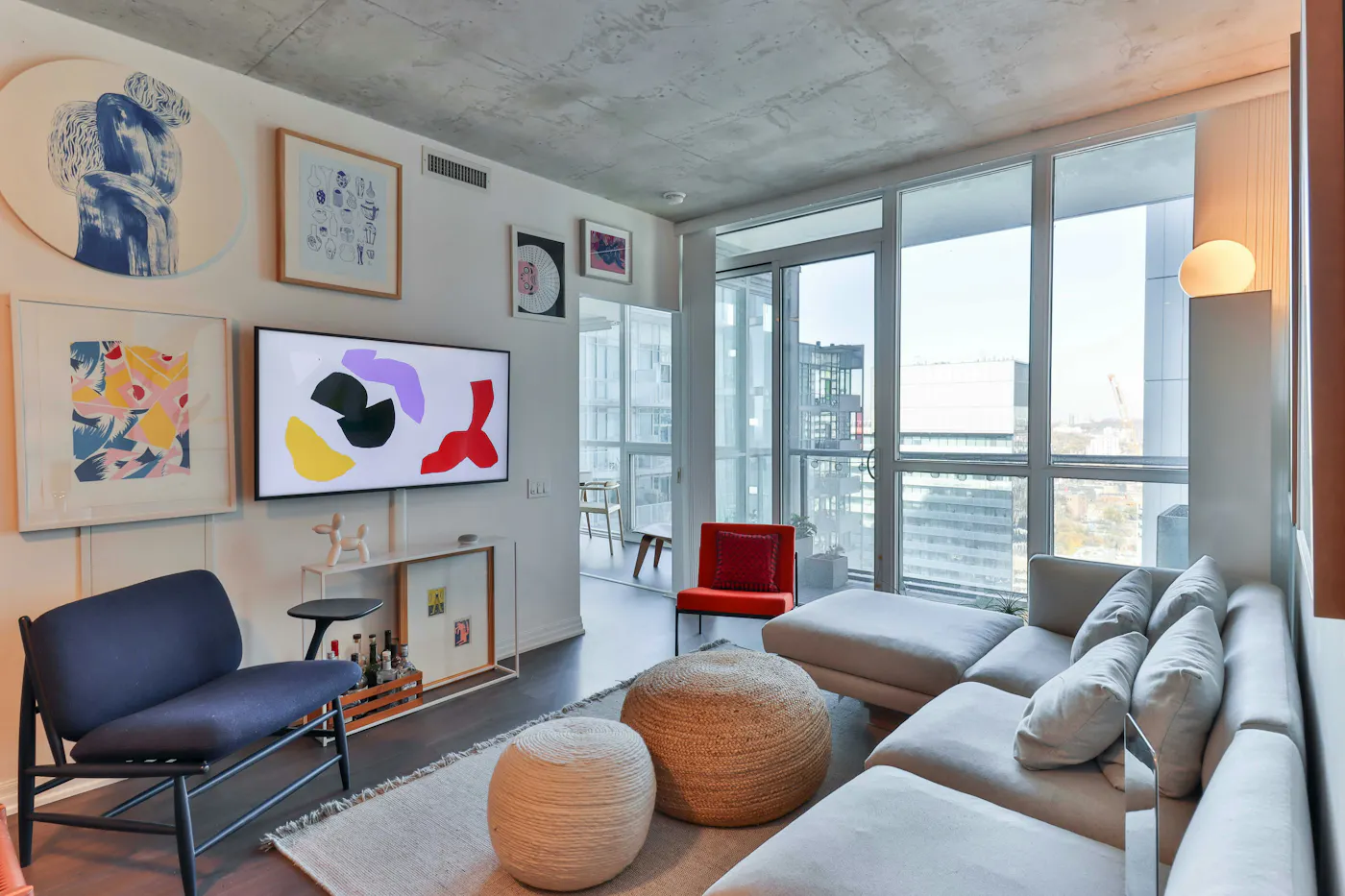
Here are other ways to curate an exceptional guest experience:
- Include a printed match schedule and TV instructions. World Cup matches in Canada air on CTV, TSN, and RDS. Leave simple instructions for how to tune in or stream, and make sure international guests can use the remote without guesswork.
- Highlight what’s happening around BMO Field. Toronto’s official host-city guide showcases nearby neighborhoods like Liberty Village, King West, Queen West, Parkdale, Ossington, and the Waterfront. They will have food, music, patios, and fan-friendly energy on match days. Include a shortlist in your welcome book or link them directly to the city’s “Around the Grounds” page.
- Create a welcome basket with local flair. Keep it simple but personal: Toronto-roasted coffee, a local craft beer, or a small CN Tower keepsake. It’s a memorable way to anchor guests in the city. You could also add some FIFA World Cup Toronto merch, like a scarf or a pin.
- Share your own favorite Toronto spots. Guests love insider tips. Skip the generic lists and direct them to your real go-tos, such as your favorite dumpling spot in Chinatown, a brewery in Liberty Village, the best Ossington patio, or a sunset walk along the waterfront. A short handwritten list or custom Google Map goes a long way.
- Offer multilingual or culturally aware touches. Airbnb data shows the strongest search interest for Toronto stays is coming from Canada, the United States, the United Kingdom, Germany, France, and, for certain matches, fans from Colombia. Consider offering essentials like check-in details, Wi-Fi info, and transit guidance in a few of these languages. Want to go even further to make guests feel welcome? Here’s a helpful guide on culturally inclusive Airbnb hosting for the World Cup.
6. Build Your Support Team
Hosting during the World Cup will be exciting, but also very busy. Having trusted local support can make your experience smoother, especially if you’re juggling work, multiple bookings, or even travel of your own.
Professional cleaning services
If you’re renting out your own home, you might be tempted to clean it yourself. For some hosts, that works fine. During a high‑turnover stretch like the World Cup, though, hiring a pro can save time and reduce stress.
Here are some Toronto-based cleaning teams that specialize in Airbnb and short-term rental turnovers:
These teams often offer same-day availability, laundry service, and restocking, which is essential during a fast-paced event like the World Cup.
Co-hosts or property managers
Co-hosts and property managers can help with guest communication, check-ins, stocking supplies, and even price optimization. That’s especially helpful if you’re hosting multiple guests or unavailable during the tournament.
Among Toronto-based property management companies, we recommend TO Stays. TO Stays is a Toronto-based mid-term rental brand focused on delivering reliable, comfortable, and professionally managed accommodations across the city.
Their team manages each stay with attention to detail, clear communication, and responsive local support. From booking to checkout, TO Stays aim to provide a seamless experience that combines the flexibility of short-term rentals with the standards of professional hospitality.
You can get started with TO Stays by reaching out via email at [email protected] or by phone at 647-873-1138.
You can also search for individual co-hosts using Airbnb’s Co‑Host Network, if you prefer working one-on-one.
Many local co-hosts and cleaners book up quickly ahead of major events like the World Cup, so reach out early to lock in support.
Storage solutions and other support
If you're listing your primary residence, you may want to clear out valuables, personal items, or excess furniture to make guests feel at home and to give yourself peace of mind.
Short-term storage is a great way to simplify your space and minimize clutter during the tournament.
Here are a few local storage providers to consider:
If you’re listing your home for 2–4 weeks, ask about monthly or short-term promotions. Some facilities also offer pickup services, so you don’t have to do all the heavy lifting yourself.
Remember: Storage expenses for hosting purposes may be tax-deductible. Keep your receipts and talk to a tax advisor about claiming them as business-related deductions.
7. Make Game-Changing Money
Short‑term rental hosts in Toronto are already seeing early signs of World Cup demand. If you haven’t already, run your address through AirDNA’s World Cup Calculator to see what your specific property could earn.
Here’s how to make the most of this once‑in‑a‑generation opportunity if you’re planning to host in Toronto:
Open your calendar early
World Cup travelers, especially international guests, start booking months in advance. You increase the odds of locking in longer or premium stays around match dates by making your space available early.
Use the World Cup Dashboard to benchmark
Even after you’ve listed your space, pricing isn’t a set-it-and-forget-it move, especially during a dynamic event like the World Cup, where the teams will be determined closer to the date for certain matches. AirDNA’s World Cup Dashboard shows real-time data on booking pace, nightly rates, and occupancy in Toronto and all the other World Cup host cities. Use it to stay in sync with rising demand, adjust your prices confidently, and make sure you’re not leaving money on the table as match days get closer.
Look to the past to set your baseline pricing
While the FIFA World Cup is a once-in-a-generation event, Toronto has hosted major demand spikes before. Looking at how your neighborhood performed during past high-traffic moments like large concerts, playoff games, political conventions, or holiday weekends can give you a realistic starting point.
Joining local short-term rental host Facebook groups, Reddit threads, and the Airbnb host forum is a great way to connect with hosting veterans who can give you insight into how other major events have shaped pricing in Toronto historically.
You can also try browsing for Airbnb listings in Toronto as a guest to see how short-term rentals similar to your home in location and size are priced for future events.
Set minimum stays
Your minimum stay settings are one of the most effective tools you have for managing turnover and increasing overall earnings during the World Cup.
In Toronto, most bookings around major match dates are expected to cluster around short, high-intensity trips. Many guests will fly in for a specific game and stay a couple of nights, while others, especially families and international visitors, may turn it into a longer city break.
Rather than allowing single-night stays that create awkward gaps between bookings, consider setting a 2–3 night minimum around match days, especially when games are scheduled close together. This reduces cleaning frequency, limits calendar fragmentation, and attracts guests who are planning a fuller World Cup experience in the city.
You can always adjust your minimums as demand shifts. Early on, slightly longer stays can help you secure strong, efficient bookings. As dates approach and availability tightens, you can revisit your settings to capture last-minute demand.
Pair Airbnb pricing tools with real data
Airbnb’s Smart Pricing can help you get started, but pairing it with insights from the World Cup dashboard and historical trends will help you optimize. Brush up on event-based booking patterns.
Toronto’s matches are packed into a tight window, June 12, 17, 20, 23, and 26, so rates can move quickly as those nights fill up.
Airbnb reports most Toronto listings are currently under $500 CAD/night, which usually signals that guests are booking the remaining mid-priced options early before inventory tightens and prices climb. So far, the biggest demand drivers are Canada’s opener on June 12 and Germany vs. Côte d’Ivoire on June 20, with search interest led by Canada, the United States, and the United Kingdom. Stay flexible and recheck pricing often as June approaches. Optimizing during the run-up can matter just as much as setting it in advance.
Want the crash course on how to get started with a short-term rental? The Hosting Crash Course from MOVHA is a great resource. The data shared is specific to Kansas City but most of the information is helpful no matter what city you are in.
FAQ
When is the World Cup in Toronto?
Toronto’s FIFA World Cup 2026 matches take place in mid-to-late June 2026, with match days on June 12, June 17, June 20, June 23, and June 26 at BMO Field.
How many World Cup games are in Toronto?
Toronto is hosting five matches during the tournament, all in the group stage.
What World Cup games will be in Toronto?
Here’s the confirmed Toronto match schedule at BMO Field:
- June 12: Canada vs. UEFA Playoff A Winner
- June 17: Ghana vs. Panama
- June 20: Germany vs. Côte d’Ivoire
- June 23: Croatia vs. Panama
- June 26: Senegal vs. Intercontinental Playoff 2 Winner
How do I turn my home into an Airbnb for the World Cup?
If you live in Toronto, hosting during the World Cup is a great way to make some extra cash. Here’s a simple checklist to get your home ready without overthinking it:
- Make sure your home qualifies under Toronto’s primary residence rules
- Decide how you’ll host: a room while you’re home, or your entire place while you’re away during match weeks.
- Create an Airbnb listing with great photos and an obvious callout for getting to BMO Field and nearby transit.
- Prepare your space for groups and don’t forget to tuck away your personal belongings.
- Leave a simple house guide covering Wi-Fi, TV/streaming, and match-day transportation tips.
- Keep an eye on prices as demand shifts. Be sure to use our World Cup Dashboard to make sure you’re not leaving money on the table.
Is it better to rent a room or my entire home during the World Cup?
Both options can work in Toronto, as long as the space is your primary residence. Renting a room is a lower-effort way to participate if you plan to stay home, while renting your entire place (often while staying with friends or family) tends to generate higher earnings during match weeks when group travel is most common.
Do guests expect to stay close to the stadium?
Not necessarily. While proximity to BMO Field is a plus, many guests prioritize easy transit access over walking distance. Homes near streetcar lines, GO stations, or quick downtown connections often perform just as well, especially for longer stays.
How long are World Cup guests typically staying in Toronto?
Early Airbnb data suggests shorter stays are common, with many guests booking two to five nights around specific matches. Some will extend their stay to explore the city or combine Toronto with travel to Vancouver or U.S. host cities, so flexibility in minimum stays can help capture more bookings.
ARTICLE SUMMARY
Toronto is hosting five FIFA World Cup 2026™ matches, and Airbnb demand is already picking up around Canada’s opening game and other big matchups. This Toronto World Cup hosting guide walks Toronto homeowners through what to expect, how Airbnb hosting works in the city, and how to get their home ready to earn during one of the city’s biggest moments.
Bram Gallagher
AirDNA Director of Economics and Forecasting
Bram Gallagher is an Economist at AirDNA, specializing in uncovering insights that drive smarter short-term rental decisions. He put his Ph.D. in Economics from the University of Georgia to work researching and forecasting hotel data with CBRE prior to joining AirDNA, as well as teaching economics at a number of universities. In his spare time, Bram enjoys making wooden furniture with hand tools.



Get started with AirDNA today.
Powerful, easy-to-use tools that help hosts and investors succeed in the short-term rental market.
Try for free